
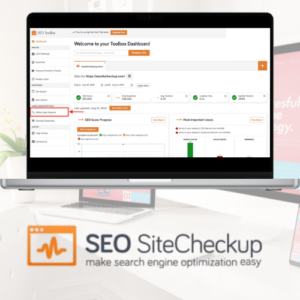
SEO Site Checkup: A Practical Guide to Auditing Your Website
A website can look polished and still be difficult for search engines to understand. Slow pages, broken links, missing page titles and technical errors may all affect how easily people can find and use it. An SEO site checkup helps uncover these issues so you can decide what to fix first.
SEO Site Checkup is also the name of an online tool that analyses websites and reports on possible search engine optimisation improvements. Whether you use this tool or another website auditor, the aim is the same: to identify problems, understand their impact and make useful, measurable improvements.
What does an SEO site checkup examine?
The checks available vary between tools, but a website audit commonly reviews several areas:
- On-page SEO: Page titles, meta descriptions, headings, image alt text and the use of relevant keywords.
- Technical SEO: Crawlability, indexing signals, redirects, broken links and the structure of your website.
- Mobile usability: Whether pages display and function well on smaller screens.
- Page performance: Loading speed and other factors that can affect the visitor experience.
- Security: Whether the site uses HTTPS and has other basic security measures in place.
- Content and links: Issues such as duplicate content, thin pages or opportunities to improve internal linking.
Why run a website SEO check?
Search engines need to access and interpret your pages, while visitors need to find information quickly and use your site without frustration. An audit can highlight obstacles for both. It may also provide a useful starting point if organic traffic has declined, a new website has launched or you are planning a redesign.
Regular checks can help you spot problems before they affect a large number of pages. They also make it easier to keep track of improvements over time. However, an audit is not a guarantee of higher rankings. Search visibility depends on many factors, including the quality and usefulness of your content, competition and how search engines assess your site.
How to use SEO Site Checkup
- Enter your website address. Start with your homepage or a particular landing page you want to assess.
- Review the report. Read each finding rather than focusing only on the overall score. Check what the issue means and which pages it affects.
- Prioritise important fixes. Broken pages, indexing problems and major usability issues may deserve attention before small, cosmetic recommendations.
- Make changes carefully. Back up your site before significant technical updates, and test changes on key pages.
- Run another check. Reassess the site after making improvements to confirm that the reported issue has been resolved.
How to prioritise audit findings
Automated tools can produce long lists of warnings, but not every recommendation has the same value. Start by checking whether important pages can be crawled and indexed. Then look at broken links, incorrect redirects, missing or duplicated page titles, mobile usability and slow-loading pages. After addressing these, consider improvements to content structure, internal links and metadata.
Use judgement when interpreting recommendations. A tool may flag a page because it does not follow a general rule, but the page could still serve a useful purpose. Review the context before making changes, especially if they involve redirects, canonical tags, robots directives or removing content.
What an automated check cannot do
An SEO audit tool can identify technical patterns, but it cannot fully judge whether your content is trustworthy, genuinely useful or more helpful than competing pages. It may also miss issues that require access to analytics, server logs or a manual review. Treat the results as guidance, not a complete SEO strategy.
Combine automated checks with regular reviews of your website’s content, search performance and visitor behaviour. If you manage a large or technically complex site, a specialist review may help clarify which issues matter most.
Conclusion
An SEO site checkup is a useful way to find potential technical and on-page improvements. By reviewing the findings carefully, fixing the most important issues first and checking the results afterwards, you can make your website easier to use and easier for search engines to understand. The strongest results come from treating audits as part of an ongoing process, rather than a one-off score to chase.
Essential SEO Site Checkup: 6 Key Tips for Optimising Your Website
- Check that important pages are indexed by search engines.
- Fix broken links and redirect errors.
- Review page titles and meta descriptions.
- Test mobile usability and page speed.
- Check for duplicate or missing content.
- Update your XML sitemap and robots.txt.
Check that important pages are indexed by search engines.
Check that your most important pages are indexed by search engines so they can appear in relevant search results. Use Google Search Console’s URL Inspection tool to see whether a page is indexed and identify any crawling or indexing issues. If an important page is missing, check that it isn’t blocked by your robots.txt file or marked with a “noindex” directive, and make sure it is linked from other relevant pages on your site. After fixing any problems, request indexing and monitor the page’s status.
Fix broken links and redirect errors.
Fix broken links and redirect errors to help visitors and search engines reach the pages they expect. Broken links can lead to frustrating “page not found” messages, while incorrect or unnecessary redirects may slow navigation or send people to irrelevant content. Check your website regularly, update links that point to moved pages, and use a suitable permanent redirect when a page has a new address. Where possible, link directly to the final destination and remove redirect chains.
Review page titles and meta descriptions.
Review your page titles and meta descriptions to make sure each page has a clear, accurate and unique summary. Titles should describe the page’s main topic, while meta descriptions should briefly explain what visitors will find and encourage them to click. Avoid duplicating text or forcing in keywords unnaturally, and check that neither is cut off in search results. Although meta descriptions do not directly determine rankings, well-written titles and descriptions can help your pages stand out and attract relevant visitors.
Test mobile usability and page speed.
Test your website on mobile devices to make sure pages are easy to read, navigate and use on smaller screens. Check that menus, buttons and forms work properly, and that visitors do not need to zoom or scroll sideways. Then assess page speed, as slow-loading pages can frustrate users and make it harder for them to find what they need. Compress large images, reduce unnecessary scripts and retest key pages after making changes.
Check for duplicate or missing content.
Check your website for duplicate or missing content to make sure every important page offers clear, useful information. Duplicate text across multiple pages can make it harder for search engines to understand which page to show, while missing content—such as an empty page or a page with very little useful information—may disappoint visitors and provide little value. Use an SEO site checkup to flag potential issues, then review the affected pages and update, combine or redirect them where appropriate.
Update your XML sitemap and robots.txt.
Keep your XML sitemap and robots.txt file up to date to help search engines discover and crawl the right pages on your website. Your sitemap should include the important, indexable URLs you want search engines to consider, with outdated or redirected pages removed. Use robots.txt carefully: it can guide crawlers away from areas that do not need to be crawled, but it should not block pages you want indexed. After making changes, check both files for errors and submit your sitemap through Google Search Console or other relevant webmaster tools.
Leave a Reply